
KeyForge
Master app
KeyForge Master is a cross-platform desktop app built from scratch to configure and manage KeyForge devices. It communicates directly with the hardware, reads and writes device settings, and gives users full control over buttons, knobs, profiles and custom actions.
My role
Desktop App Development & Product UX
Industry
Productivity Hardware / Device Software
Desktop app
React
Hardware Integration
Cross-platform
![]() The Challenge
The Challenge
Making complex hardware feel simple
KeyForge Master had to sit between the user and a completely custom hardware platform. The app needed to reliably detect connected devices, communicate with the firmware over a custom serial protocol, and read and write fairly complex device configurations.
At the same time, none of that complexity should be visible to the user. Configuring buttons, knobs, profiles and custom actions needed to feel straightforward, whether the app was running on Windows, macOS or Linux.
![]() The Solution
The Solution
A configurator built around the device
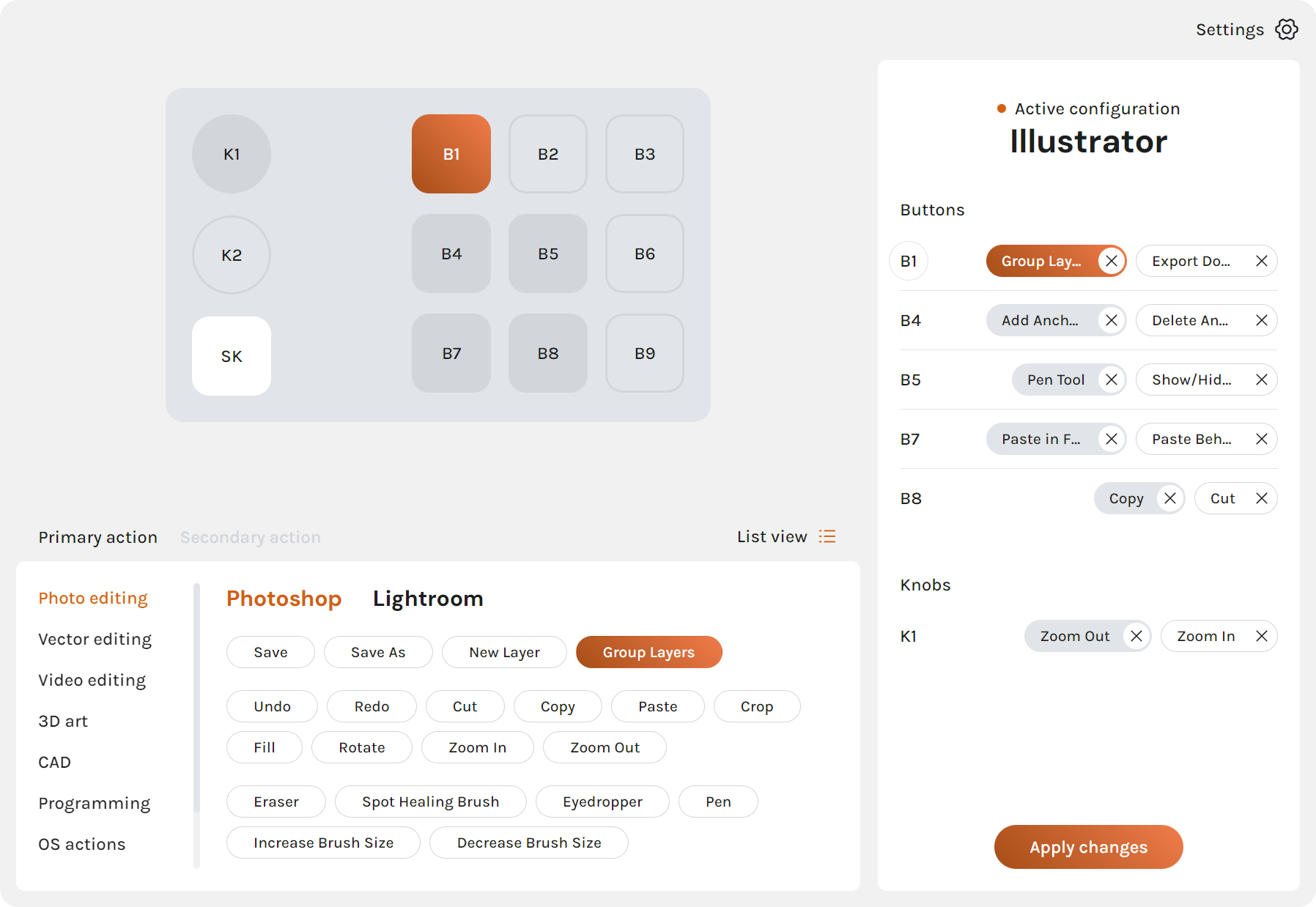
I built KeyForge Master from scratch using Electron, React, Tailwind and Zustand, with a Node.js backend handling device communication and lower-level logic. The app detects connected hardware, reads the current configuration and lets users manage profiles, buttons, knobs and device behaviour from one interface.
I also built the custom action system, allowing more advanced behaviours to be assembled through a visual block builder. On top of that, I developed update flows for both the desktop app and the connected device firmware, keeping the whole system manageable across Windows, macOS and Linux.
![]() Built for
Built for
everyday use
The technical side of KeyForge Master is fairly complex, but the interface shouldn’t feel that way. I designed the UI and UX around the existing KeyForge visual guidelines, with the goal of making device configuration clear even when users are working with multiple profiles, actions and hardware controls.
The app was also built to behave consistently across Windows, macOS and Linux, with update systems for both the desktop application and the device firmware so the whole setup can evolve without making updates a manual chore.